Apple Releases iPadOS 27 With Deep Apple Intelligence Integration and Context-Aware Siri

Apple has officially commenced its annual cycle of major operating system deployments, headlined by the rollout of iPadOS 27. While this year’s iteration of the tablet software steers away from radical architectural overhauls, it introduces a deeply integrated suite of artificial intelligence features collectively branded as Apple Intelligence. Available as a free download for compatible devices, iPadOS 27 arrives alongside simultaneous updates for iOS and macOS, signaling a unified push across Apple’s device ecosystem toward personalized, context-driven computing experiences.
The cornerstone of the iPadOS 27 update is a completely reinvented version of Siri. For years, Apple’s voice assistant faced criticism for lagging behind competitors in contextual comprehension and complex task execution. The iteration arriving with iPadOS 27—internally and publicly referred to as Siri AI—aims to decisively close that gap. The newly redesigned assistant is deeply woven into the operating system architecture, granting it the capability to read, interpret, and understand on-screen content in real time. Because it operates natively at the system level, Siri can now directly control and manage applications, execute multi-step user requests, and pull context from emails, messages, and documents without requiring users to manually switch between apps or repeat information.
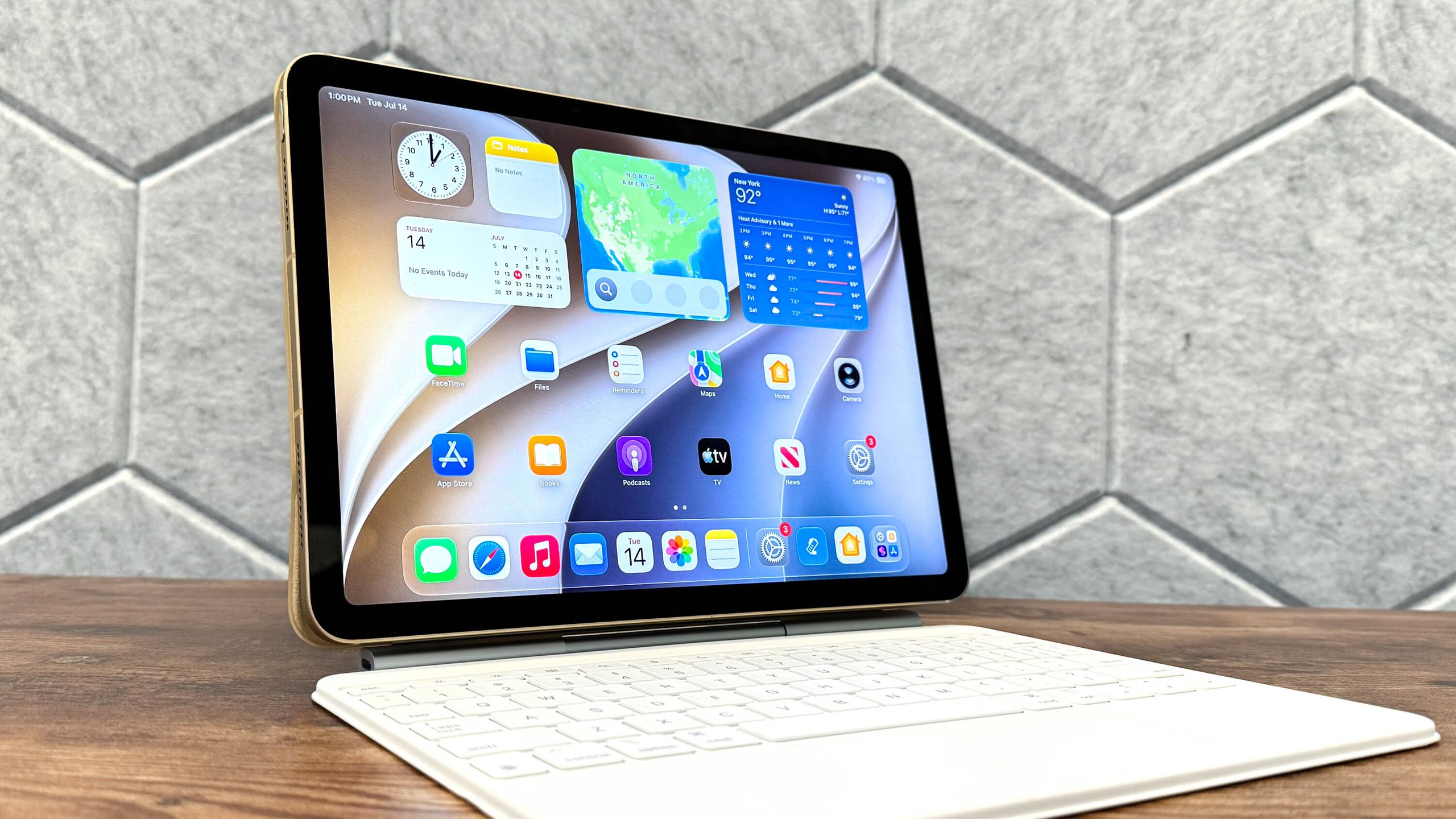
Beyond the enhancements to Siri, iPadOS 27 introduces several critical system-wide improvements designed to optimize productivity, accessibility, and security. Among these is a refined interface implementation for Liquid Glass, Apple’s aesthetic and functional visual layer, which now offers vastly improved text readability and dynamic contrast adjustments across varied lighting conditions. Photography enthusiasts and casual users alike will also benefit from a refreshed suite of native photo-editing tools, leveraging machine learning to automate complex tasks such as background object removal, lighting balancing, and subject isolation with greater precision than previous iterations.
Furthermore, Apple has prioritized digital wellbeing and family safety in this release by introducing robust new child safety features. These updates expand on Apple’s existing communication safety frameworks, offering more granular content screening, enhanced parental controls, and proactive safeguards designed to protect younger users across shared and individual devices.
Preparation and Compatibility Requirements
Before initiating the download process for a major operating system transition like iPadOS 27, technology analysts and Apple support representatives strongly advise users to back up their tablets. Utilizing iCloud or a direct connection to a Mac or PC ensures that personal data, application states, and media libraries remain secure should any unforeseen complications arise during the installation phase, providing a reliable pathway to restore the previous operating system state if necessary.
Hardware compatibility remains a crucial factor for users evaluating the upgrade. While iPadOS 27 is a complimentary update, it requires specific hardware processing capabilities—particularly Neural Engine performance—to support the heavy computational demands of Apple Intelligence features. Consequently, the update is restricted to a curated list of modern iPad models equipped with Apple Silicon processors capable of running the advanced machine-learning models locally. Users should verify their specific device model via the system settings prior to attempting the installation procedure.
Step-by-Step Installation Guide
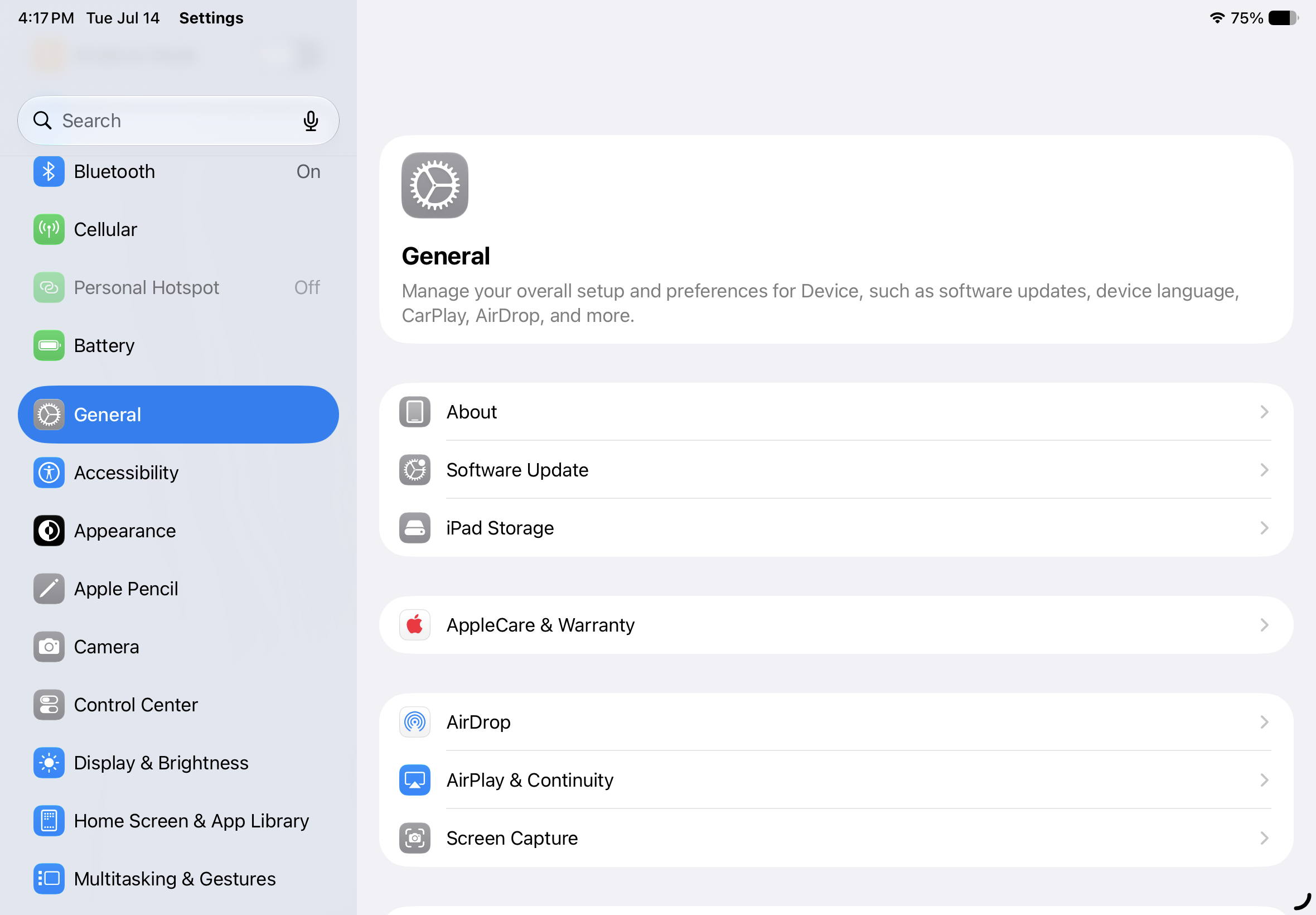
For users with compatible hardware, installing iPadOS 27 is a straightforward process managed directly through the tablet’s native settings menu.
- Check for Software Updates: Navigate to the home screen, launch the Settings application, tap on the "General" tab, and select "Software Update." The system will query Apple’s servers to check for available packages.
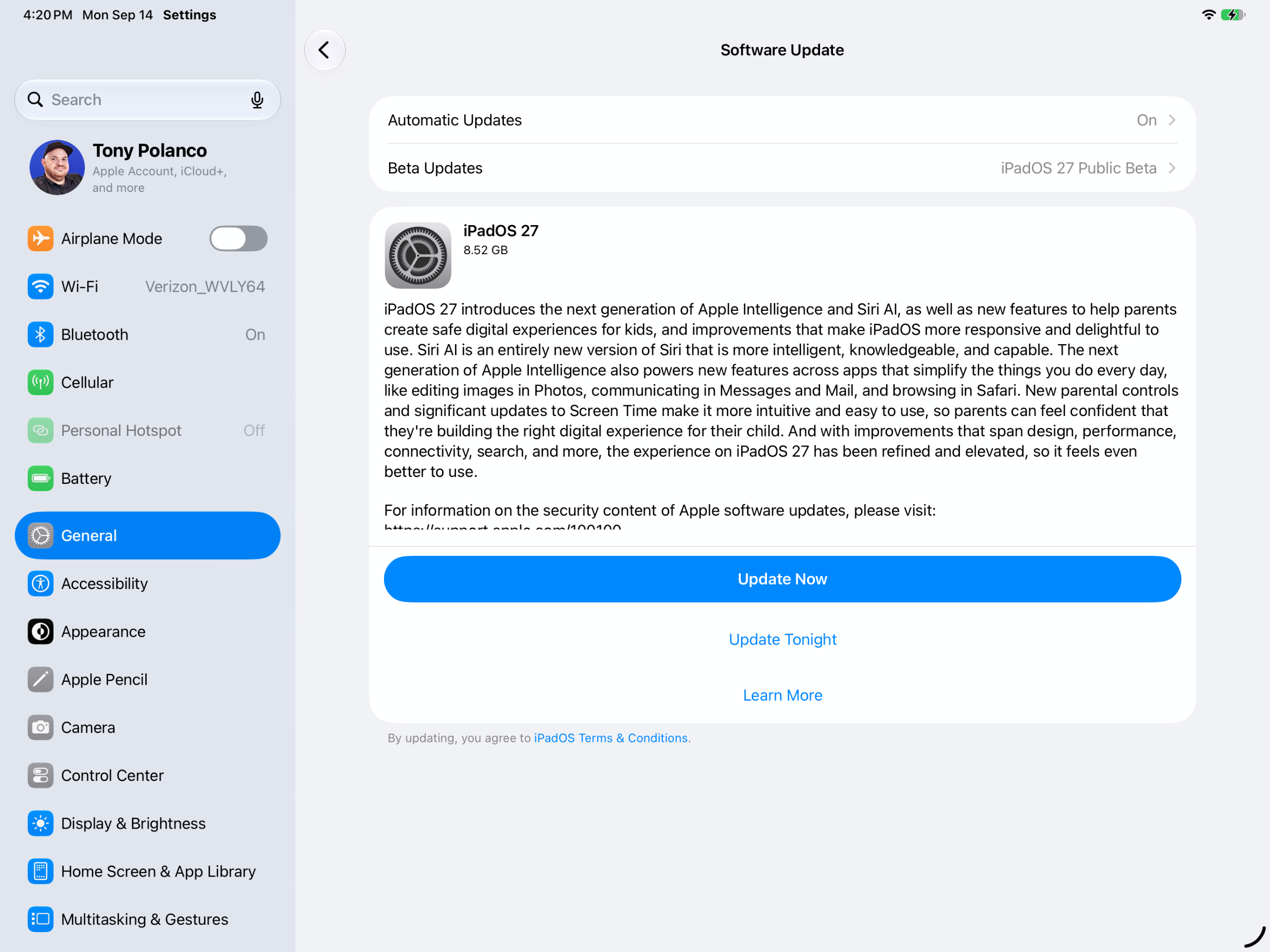
- Select iPadOS 27: If the device is running the latest preceding software version, the iPadOS 27 update notification will populate on the screen, detailing the scope of the software and its associated security patches.
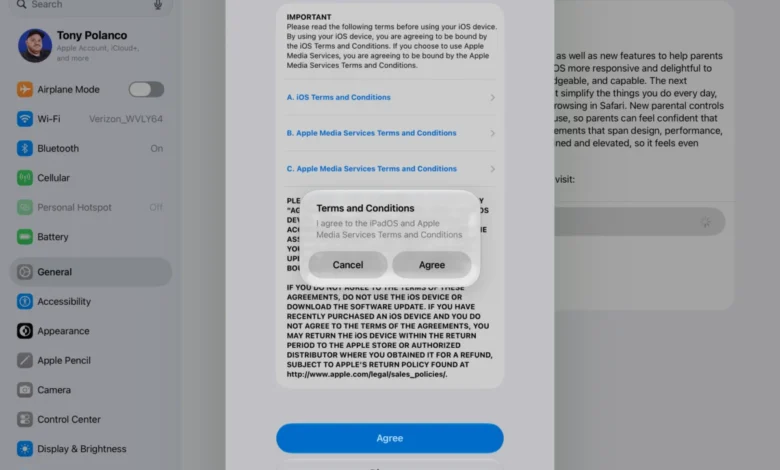
- Download the Update: Users can choose between "Update Now" to initiate an immediate download or "Update Tonight" to queue the download for overnight hours. The system will prompt for the device passcode to authorize the action. Due to the substantial file size of major OS updates, maintaining a stable Wi-Fi connection and plugging the iPad into a reliable power source or charger is strongly recommended to prevent unexpected power loss during the download phase.
- Install the Update: Once the package files have been fully downloaded, the system will prompt the user to execute the installation immediately or defer it. Upon confirmation, the iPad will restart automatically. Following a final passcode entry post-boot, the device will finalize configurations, leaving iPadOS 27 fully installed and operational.
Contextual Background and Strategic Implications
The release of iPadOS 27 represents a critical milestone in Apple’s broader corporate strategy. Over the past several hardware generations, Apple has systematically narrowed the performance gap between its iPad lineup and traditional personal computers, frequently outfitting tablets with the same M-series silicon found in MacBook Pro and Mac mini models. However, software constraints—specifically the historical limitations of iPadOS compared to macOS—have remained a persistent critique among power users and industry analysts who argue that the hardware’s potential remains underutilized.
While iPadOS 27 does not transform the tablet operating system into a direct clone of macOS, the introduction of deep-level Apple Intelligence and advanced system controls represents a calculated shift. By empowering Siri to manage applications and comprehend on-screen workflows, Apple is attempting to solve the iPad productivity equation through ambient artificial intelligence rather than traditional desktop window management.
Industry analysts note that this approach allows Apple to maintain the touch-first, simplified paradigm that defines the iPad experience while simultaneously delivering the complex multitasking capabilities demanded by professional workflows. Furthermore, the integration of these features across iOS, macOS, and iPadOS simultaneously underscores Apple’s commitment to ecosystem continuity, ensuring that users experience a seamless, predictable artificial intelligence interface regardless of the hardware device they happen to be utilizing at any given moment.
As millions of users begin downloading iPadOS 27, the tech industry will be closely monitoring how the newly redesigned Siri performs in real-world environments. The success of this release could very well dictate consumer expectations for personal computing assistants for years to come, solidifying Apple’s position in the rapidly evolving consumer artificial intelligence landscape.